
How to Use a Projector as a Fake Window
A projector is the most convincing way to fake a window, because it can fill an entire wall at window scale. With a clean wall, a calm 4K view and the right room conditions, a projected window can fool people at a glance. Here's how to set it up.
Choose the wall and the scene
Pick a smooth, flat, light-colored wall and keep it clear. A real window sits flush in a flat surface, so texture or anything hanging there gives it away. Keep the floor in front of it clear too, or you get a shadow across the view.
Then pick a calm, slow scene: rain, a beach, snow. Busy footage stops reading as a window once it is wall-sized.
Get the brightness right
Projectors work best in low light. The darker the room, the brighter and more solid the window looks, so dim the lights before you judge anything. In daylight you need a brighter projector, and never aim at a wall that catches direct sun.
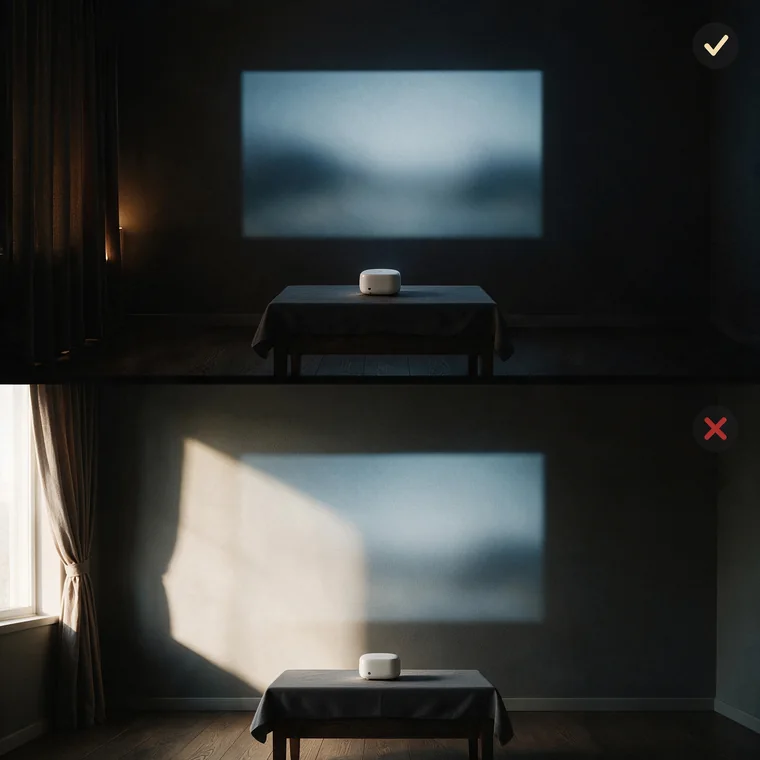
Place the projector straight in front of the wall
This is the step most people get wrong. Put the projector square in front of the wall, not off to one side or in a corner. At an angle you need keystone correction, and that leaves a faint grey border around the image.
Here is why. The projector keeps lighting its full rectangle. Keystone only shrinks the real picture inside it and blacks out the rest, and black on most projectors is not truly black, so in a dark room that edge glows. A real window has no frame like that.
If you cannot place it square, look for optical lens shift rather than digital keystone alone; it moves the image optically, so the border is weak or gone. Then aim for window height and a tall crop, not a wide cinema rectangle.
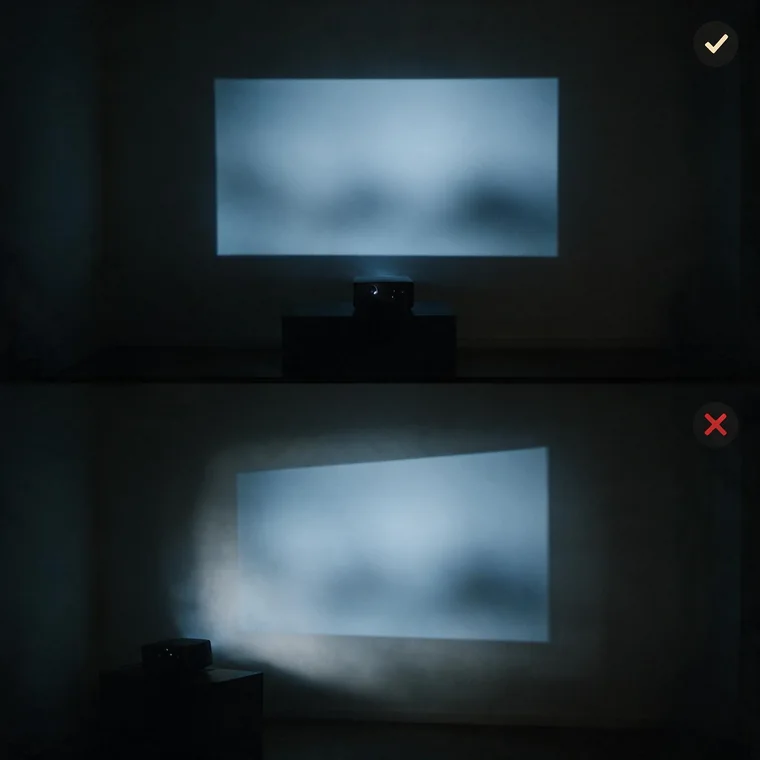
Keep the sound in the background
Play the ambience low, through the projector or a small speaker. Quiet rain reads as weather outside; the same sound turned up reads as a video playing. Pick a long or looping view so it runs for hours without restarting.
Frequently asked questions
Do I need an expensive projector?
No. Affordable mini projectors work well in dim rooms; brightness only really matters if you want to use it in daylight. See the recommended projectors guide.
What wall works best?
A smooth, light, matte wall. A dedicated screen is sharper but not necessary for the window effect.
Why is there a faint grey border around the projected image?
That is light spill from digital keystone correction, also called a keystone or grey border. The projector keeps lighting its full rectangle and sets the pixels outside your corrected image to black, and black on most projectors is not fully black, so it glows faintly in a dark room. Placing the projector square to the wall avoids it, and a projector with optical lens shift avoids it too.